HOME
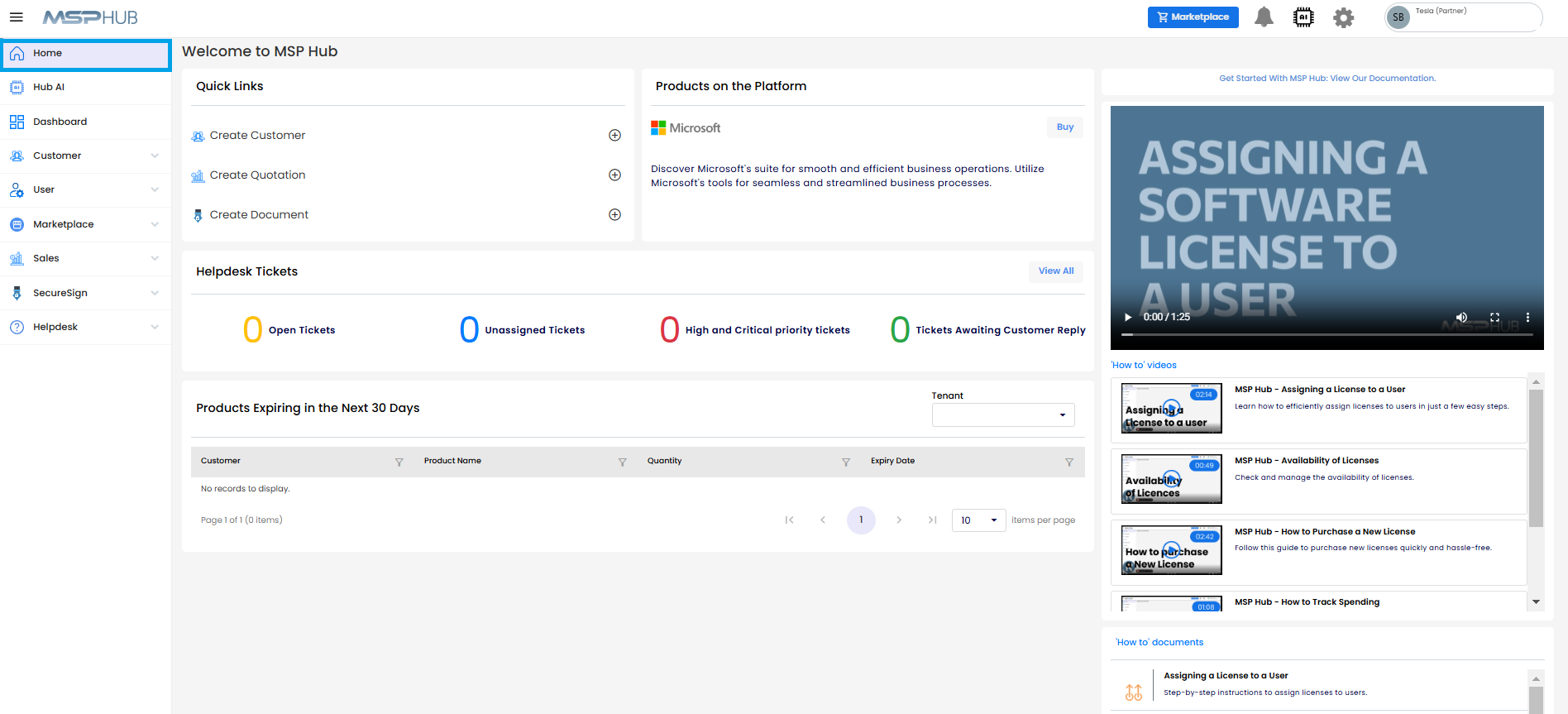
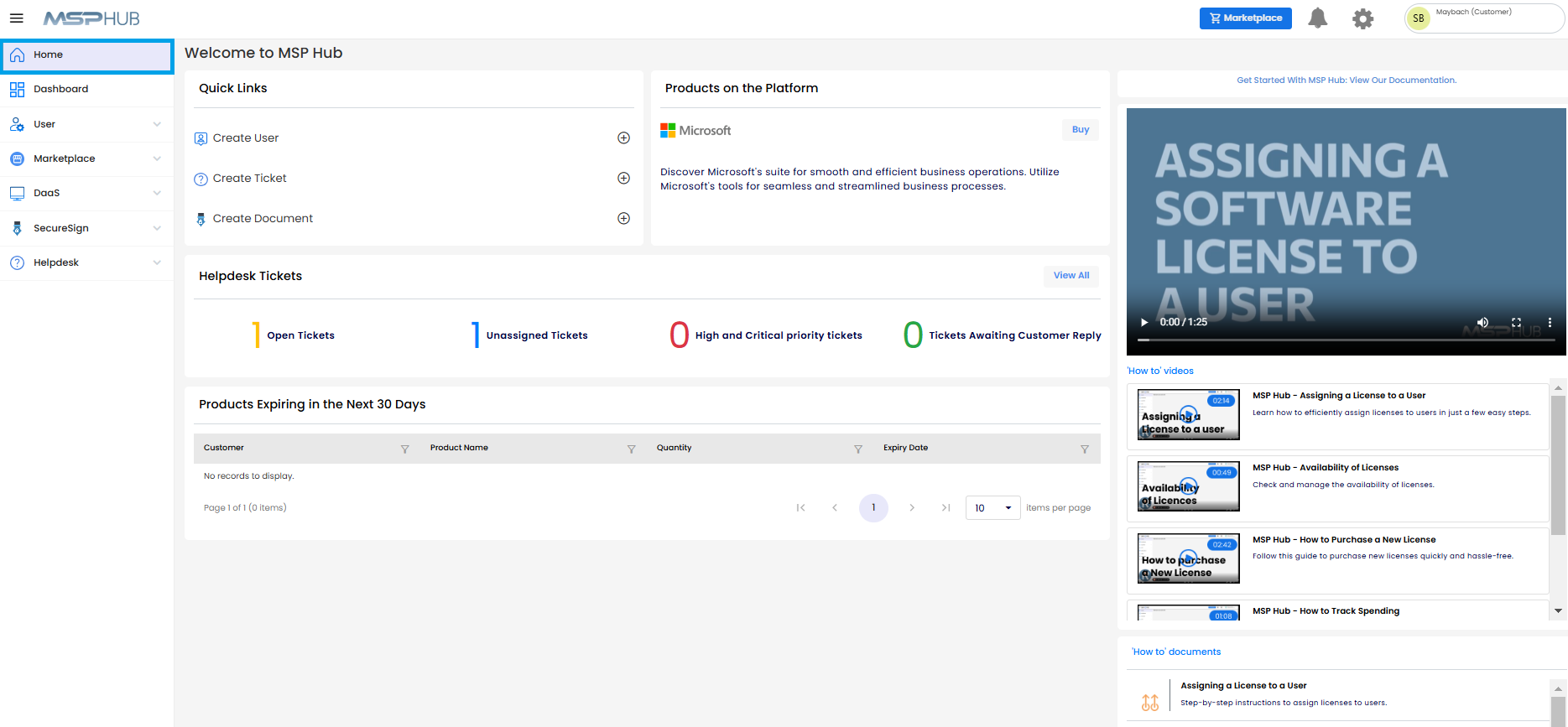
This is the MSP Hub main landing page for all tenants, including Partner and Customer.
Top Navigation Bar:
Marketplace Button: Allows quick access to purchase the products.
Note
For customers, the Marketplace button will be available only if the partner has enabled the "Allow Customer to Purchase" option.
Notification Bell: Keeps users informed of updates, pending tasks, or announcements.
AI Hub Icon: Offers quick access to AI-powered chat for assistance, questions, or platform guidance.
Settings Icon: Enables users to toggle Dark Mode on or off for a more personalized interface experience.

Welcome to MSP Hub:
A warm greeting welcome section that introduces partners to the platform and its features.
Products on the Platform:
This section highlights the key products available, such as Microsoft�s suite of tools. The Buy button allows users to purchase products directly.
Helpdesk Tickets:
- Open Tickets: Displays the number of active or unresolved tickets.
- Unassigned Tickets: Shows tickets that still need to be assigned to a specific agent.
- High and Critical Priority Tickets: Tracks tickets that are marked as high or critical priority.
- Tickets Awaiting Customer Reply: Shows tickets that are on hold while waiting for a response from the customer.
Products Expiring in the Next 30 Days:
This section lists products that are close to expiration, providing details such as customer name, product name, quantity, and expiry date. It assists users in managing timely renewals.
Get Started with MSP Hub:
Access our comprehensive documentation portal for step-by-step guides, FAQs, and resources to help you navigate and maximize the platform's features.
How to videos:
A section with video guides on how to use the platform effectively. For instance, assigning a license to a user, checking license availability, purchasing new licenses, tracking spending, and renewal notifications.
How to documents:
- Assisting a License to a User: Step-by-step instructions on assigning licenses.
- License Availability: Information on how to manage and check license availability.
- Purchase License: Guidance on buying new licenses.
- Renewal Notifications: Instructions on setting up and managing notifications for license renewals.